Sharp ZAURUS ZR-5000 Especificaciones Pagina 83
- Pagina / 529
- Tabla de contenidos
- SOLUCIÓN DE PROBLEMAS
- MARCADORES

- Installing the batteries 10
- Initializing 11
- Adjust LCD contrast 12
- Adjusting the touch panel 13
- Setting the time and date 14
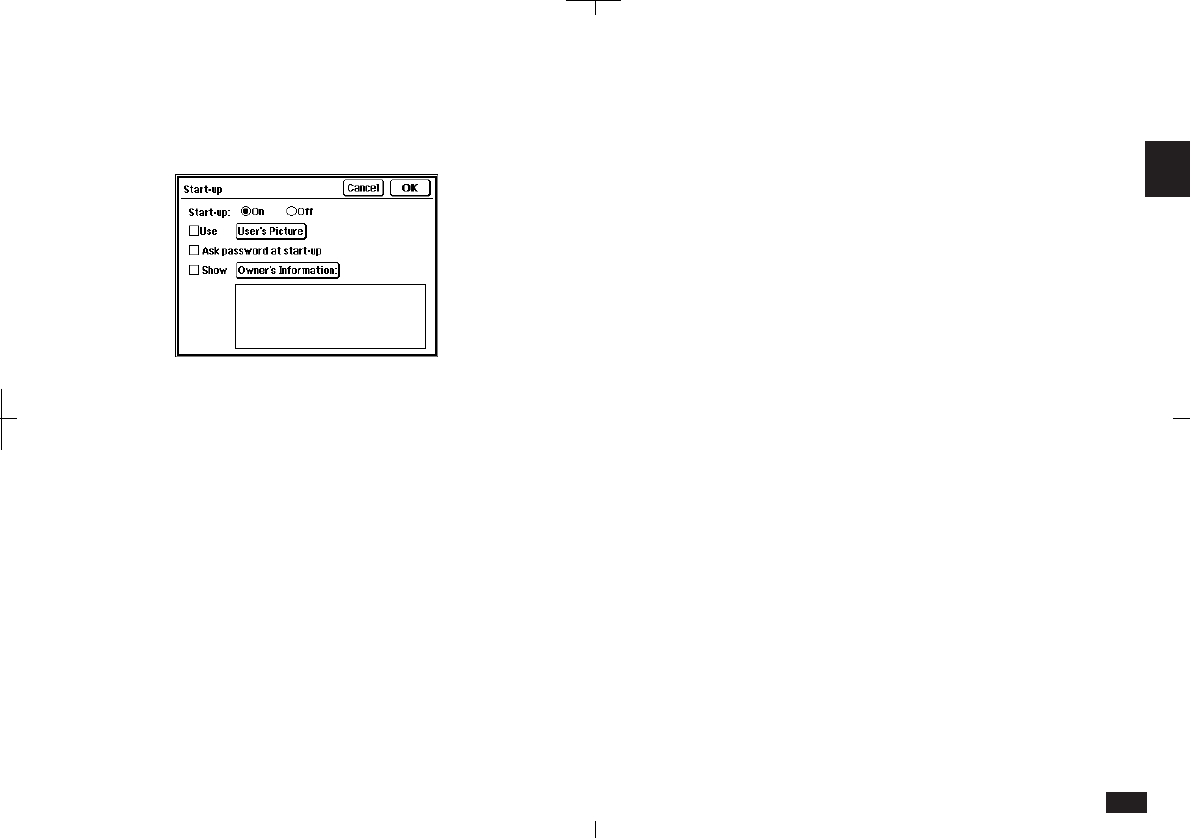
- Setting the start-up display 15
- Making your first entry 16
- Entering an appointment 17
- Entering a To Do item 18
- Using the Calendar Views 19
- Taking notes 20
- Making a letter 21
- Searching for information 22
- Touch to end the search 23
- Editing an entry 24
- Deleting entries 25
- Using Filer 27
- Copying and pasting text 29
- Drawing pictures 32
- Using the Calculator 33
- How can I do it? 35
- What your unit can do 41
- About this Manual 42
- Conventions used 44
- Caring for your unit 45
- Getting Started 47
- Part Names and Functions 48
- Touch pen 50
- Display angle adjustment 50
- GUI operations 51
- Display layout 52
- Touch panel display 52
- Display symbols 53
- Detail View and Index View 54
- Help Function 55
- Key Sound 55
- Save Battery Life 56
- Backlight Function 56
- Desk Accessories 57
- Movable window display 58
- Paperless printer 58
- =" to get the result 59
- The current date is 60
- Data from other entries 62
- Error indicator E 62
- Scrapbook 63
- Drawing tools 64
- Area tool 65
- The Stamps tool 67
- Deleting Scrapbook entries 69
- Assigning entries to folders 69
- Viewing entries via Filer 72
- Editing folder entries 73
- New Assigned Entry 73
- Delete an entry from Filer 74
- Removing entries from folders 74
- Empty a folder 75
- Merging (Moving) folders 75
- Sending folders 76
- Generate a Report 77
- Applications and 79
- Help item list 79
- Utilities 80
- Preferences 80
- Personal 80
- Start-up 83
- Word List 88
- RAM Card 90
- Backlight set-up 90
- World City 91
- Daylight Saving Time 91
- User's City 92
- Setting daily alarms 93
- Disabling alarm sound 94
- Spreadsheets 95
- General Operations 97
- Tool Bar Functions 98
- To change Index/Detail View 99
- General Editing Techniques 105
- Entering text 106
- Moving around the display 107
- Moving between fields 107
- Inserting text 107
- Deleting text 107
- Deleting blocks of text 108
- Cut, Copy and Paste 108
- Scroll bars 108
- Blocks of text 108
- Finding Specific Entries 109
- Keyword Search 110
- Global Search 111
- Deleting Entries 112
- Deleting group entries 113
- Deleting single entries 113
- Copying or moving entries 115
- Time Stamp and Date Stamp 116
- Time Management 119
- Changing Activities Setup 120
- Calendar views 120
- Today's date has 121
- Monthly goals 121
- Clear All 122
- Selected date is highlighted 123
- Selecting a date 124
- Appointments 125
- Finding entries 126
- Editing Appointment entries 127
- Deleting a single entry 128
- Touch the Alarm 131
- Birthday/Anniversary 132
- Finding Birthday/Ann entries 133
- Editing and deleting entries 133
- Making new entries 134
- Finding Holiday entries 135
- Making a new To Do entry 137
- Entering a Monthly Goal 138
- Finding To Do entries 138
- Using Labels 140
- Editing labels 142
- Copying a To Do entry 142
- Changing Activity type 144
- Databases 145
- Selecting a file 146
- Making a new Contacts entry 146
- Using Index View 147
- Keyword search 148
- Direct search 149
- Filter function 149
- Link function 150
- Link by Searching 151
- Viewing linked entries 152
- Link To function 153
- Jump To function 154
- Breaking Links 155
- Picture fields 156
- Adding a picture to an entry 157
- Fax number field 160
- Writing and Letters 161
- To make a Notes entry: 162
- Notes window 163
- Changing Notes Setup 163
- Review Notes 164
- Documents 165
- Editing a Documents entry 167
- Deleting Documents entries 167
- Find Text 168
- Text styles 169
- Tabs and indents 170
- "Show Ruler" 171
- Left indent 172
- First line 172
- Word wrap 173
- Document size 173
- Display size 173
- Page Setup 174
- Inserting a page break 175
- Print Preview 176
- Check Spelling 176
- Make a Letter function 177
- Documents with pictures 180
- Headers and Footers 180
- Outlines 182
- Creating an Outlines entry 183
- Example outline 183
- Finding outlines 184
- Full Topics or 1 Line Topics 184
- Revising outlines 185
- Using subtopics (children) 188
- Outline deletion 188
- Expanding and Collapsing 189
- Optional Accessories 191
- Printing 192
- Printing restrictions 193
- Printing the current display 194
- Modular cable 195
- Fax/Modem 195
- (CE-FM4) 195
- Wall jack 195
- Fax Directory 196
- Setting fax options 197
- Cover sheets and headers 198
- Speed buttons 199
- Sending a fax 200
- Manual fax dialing 202
- Optional Cards 203
- Be sure to insert the card 204
- Using PC cards 205
- SRAM and FLASH Memory Cards 206
- SRAM cards 207
- FLASH cards 210
- Fax/Modem cards 212
- Add-on software programs 213
- PC Files 215
- Data Exchange 217
- NA: Not applicable 218
- Unit to Unit transfer 220
- Quick transfer 220
- Products 224
- Terminal Mode 226
- Remote Link 226
- CompuServe Access 227
- AT&T Mail Access 227
- ZR-Pager 228
- Appendices 229
- - Enters a hyphen 231
- - Enters the symbol + 231
- B. Reset 234
- C. Troubleshooting 235
- D. Battery Replacement 236
- Replacing operating batteries 237
- E. Specifications 240
- Contents 256
- Communication Applications 258
- – CompuServe – 258
- – Pager Access – 259
- – AT&T Mail – 261
- – Terminal – 262
- Disclaimer and warnings 264
- Trademarks and copyrights 264
- About this manual 264
- Manual conventions 265
- Important things to do 265
- Spreadsheet 266
- Quick Start 268
- The worksheet name 269
- The cell 270
- The edit bar 270
- Entering formulas 271
- Scroll arrows 272
- Scroll bar 272
- The function appears 272
- “values...” is highlighted 272
- Editing data in a cell 273
- Creating a worksheet from a 273
- Selecting cells and ranges 274
- Select a cell or 275
- Navigating the worksheet 276
- Formatting cells 276
- Chart legend 277
- Introduction 280
- Selecting display modes 281
- Worksheet mode 282
- Chart mode 282
- Getting to know PenCell 283
- Keyboard Reference 284
- Creating a Worksheet 286
- Starting with a template 287
- Entering data 289
- Entering numbers 290
- Entering labels 291
- Selecting cells 292
- Function Reference 296
- Types of formulas 300
- About built-in functions 300
- Editing a worksheet 303
- Moving around a worksheet 304
- Finding cell contents 305
- Copying and moving data 305
- Copying formulas 308
- Clearing data 309
- Inserting and deleting cells 310
- Formatting a worksheet 311
- Cell characteristics 316
- Function Refer 318
- Touch OK 321
- Creating a chart 324
- Formatting a chart 325
- Pie charts 326
- Line charts 326
- Column charts 326
- Stacked column charts 326
- “Index” or “Charts....” 327
- Viewing saved charts 328
- Deleting a chart 329
- Managing Worksheets 330
- Managing worksheets 331
- Deleting worksheets 332
- Transferring worksheets 333
- Replacing with a PC File 336
- Linking a worksheet 337
- Setting the workspace size 338
- Troubleshooting 340
- Appendixes 342
- In Worksheet mode 344
- In Charts mode 346
- Arithmetic functions 347
- Date/time functions 349
- Financial functions 352
- Logical functions 355
- Miscellaneous functions 356
- Relational functions 358
- Statistical functions 358
- Trigonometric functions 359
- • Worksheet mode 362
- • Charts mode 362
- Before you start 368
- Connecting to a PC Card modem 369
- CompuServe 370
- Setting up your modem 373
- Setting up connections 373
- Connecting to CompuServe 374
- Creating Mail 375
- Sending Mail 376
- Getting Mail 376
- Reading Mail off-line 377
- Creating mail 384
- Sending mail messages 386
- Getting mail messages 387
- Going to a forum 389
- Downloading forum messages 391
- Downloading library files 392
- Appendix 398
- , icon 399
- Pager Access 402
- Setting up a paging service 407
- Composing a message 408
- Sending messages 409
- Getting messages from your 409
- Pager Card 409
- Reading incoming messages 410
- Searching messages 410
- Starting ZAURUS Pager Access 415
- Configuring your modem 418
- Using Pager Access 421
- Message folders 422
- Attaching data to a message 425
- Modifying a message 426
- Setting up an address book 427
- Messages containing errors 431
- Deleting messages in the unit 433
- Deactivating the filter 435
- Copying and moving text 437
- Customizing Pager Access 437
- Touch OK to save the changes 438
- AT&T Mail 444
- Creating a new message 448
- Receiving messages 450
- • Use Dialing Prefix 454
- • User Phone Number 454
- • Private Logo 454
- • File Transfer 454
- Control, Modem String 455
- • Redial 455
- • Volume 455
- User’s Guide 456
- Setting up the address book 457
- AT&T Mail User’s Guide 458
- Mail Basic 460
- Mail folders 461
- Addressing messages 463
- Address types 464
- Selecting message options 467
- Attachments 468
- Editing a message 469
- Connecting to the host 469
- • Configuring Modem 473
- • Logging into Host 473
- Viewing Received Messages 478
- Answering a message 481
- Forwarding a message 482
- Managing Your Messages 484
- Deleting messages 485
- ASIA, PACIFIC REGION 492
- AMERICAS REGION 493
- Appendix B: AT&T Mail 495
- AT&T Mail Direct 496
- REDI-ACCESS Packet (X.25) 496
- DATAPAC – DataPac in Canada 497
- LAS – Local Access Service 497
- Login Script Commands 498
- Terminal 500
- About directory settings 506
- Changing dial settings 507
- Using Terminal 508
- Hanging up 509
- Receiving a call 510
- On-line operations 511
- Data transfer 512
- Auto log-on 513
- Terminal emulation 514
- Terminal display setup 514
- ASCII Control Codes 517
Relacionado con productos y manuales para Tabletas Sharp ZAURUS ZR-5000

 (32 paginas)
(40 paginas)
(54 paginas)
(35 paginas)
(91 paginas)
(32 paginas)
(40 paginas)
(54 paginas)
(35 paginas)
(91 paginas)
Verwandte Produkte und Handbücher für Nein Canon PIXMA MX395
 (203 Seiten)
(147 Seiten)
(203 Seiten)
(147 Seiten)
 (169 Seiten)
 (180 Seiten)
(9 Seiten)
(180 Seiten)
(9 Seiten)
 (11 Seiten) (274 Seiten)
(129 Seiten)
(11 Seiten) (274 Seiten)
(129 Seiten)


 (16 Seiten)
(164 Seiten)
(68 Seiten)
(202 Seiten)
(16 Seiten)
(164 Seiten)
(68 Seiten)
(202 Seiten)
 (210 Seiten)
© 2020, manymanuals.es. Todos los derechos reservados | 0.045 s |
 Manymanuals.com
 Manymanuals.de
 Manymanuals.fr
 Manymanuals.it
 Manymanuals.pl
 Manymanuals.cz
 Manymanuals.es
 Manymanuals-pt.com
Comentarios a estos manuales