Sharp AR-650 Manual de usuario Pagina 77
- Pagina / 181
- Tabla de contenidos
- SOLUCIÓN DE PROBLEMAS
- MARCADORES

- DIGITAL COPYING MACHINE 1
- OPERATION MANUAL 1
- FOR YOUR RECORDS 2
- FCC NOTICE 3
- CONTENTS 5
- Features of the AR-650 copier 6
- TABLE OF CONTENTS 7
- TABLE OF CONTENTS (Cont.) 8
- PRECAUTIONS 10
- (Cont.) 10
- DESCRIPTION 11
- OF THE DIGITAL 11
- 1. NAMES OF MAIN COMPONENTS 12
- ALL CLEAR 15
- Message 16
- Reproduction Ratio 16
- Copy Quantity 16
- HOW TO MAKE COPIES 19
- Turning ON the Power Switch 20
- Auto Job Start Mode 21
- Insert the original 26
- Select the exposure 29
- Press the ZOOM ORG.→COPY key 31
- Select the copy size 31
- Using the Zoom Keys 36
- Press the 1→1 key 38
- Procedure 43
- 12. BYPASS COPYING 52
- . INTERRUPT COPYING 56
- 15. PRESETTING OF COPY MODES 57
- 16. ALL CLEAR KEY 58
- USING THE EDITING FUNCTIONS 59
- 1. IMAGE SHIFT COPYING 60
- 2. EDGE ERASE COPYING 62
- 3. DUAL-PAGE COPYING 64
- 4. X-Y ZOOM 65
- 5. TRIMMING/MASKING 66
- How to read areas 67
- 5. TRIMMING/MASKING (Cont.) 68
- 6. MIRROR IMAGE 70
- 7. NEGATIVE/POSITIVE REVERSAL 71
- 8. 2 IN 1 / 4 IN 1 73
- 8. 2 IN 1 / 4 IN 1 (Cont.) 74
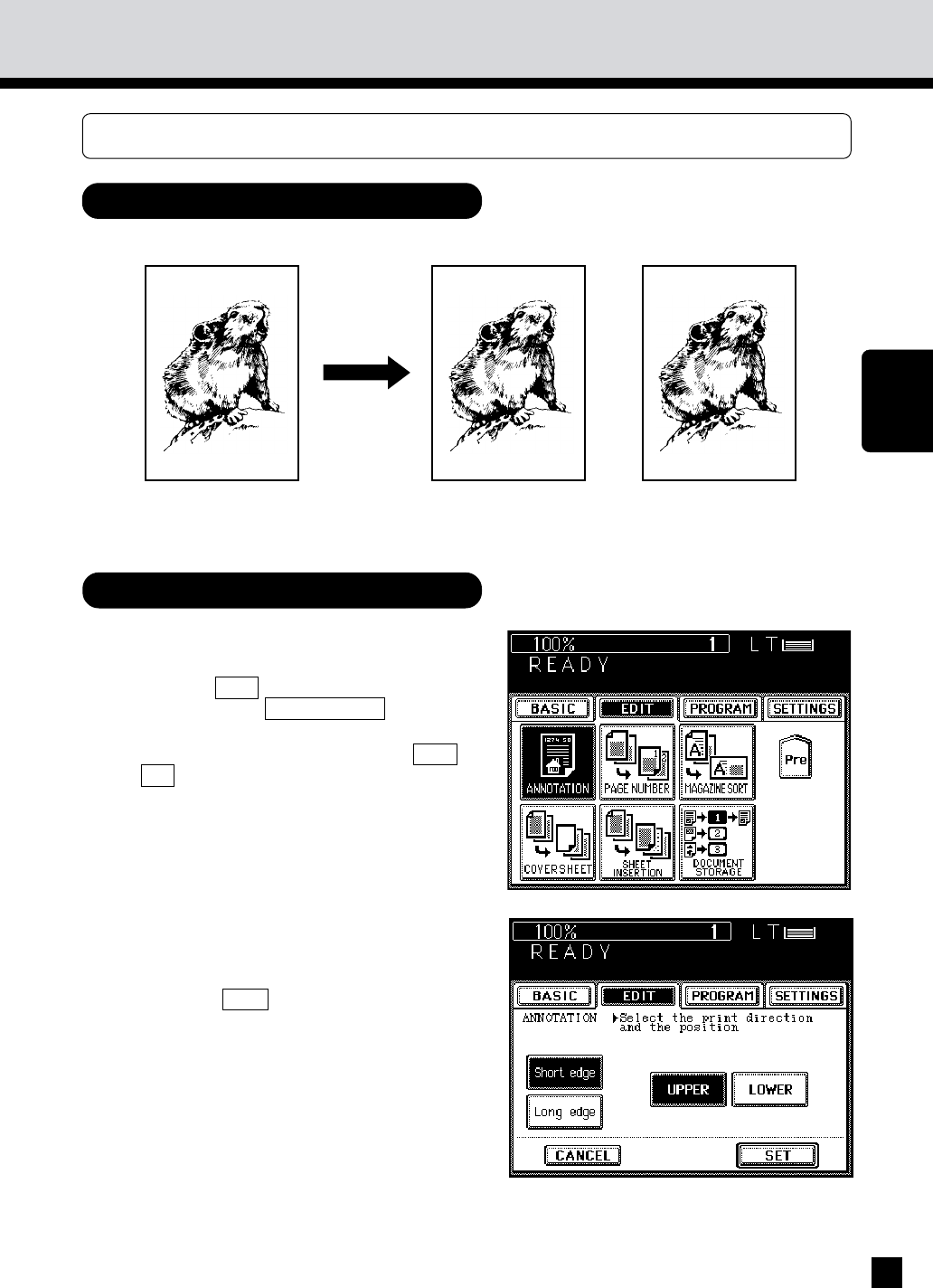
- 9.ANNOTATION 77
- 9.ANNOTATION (Cont.) 78
- 10. PAGE NUMBER 79
- 10. PAGE NUMBER (Cont.) 80
- 11. MAGAZINE SORT 82
- 12. COVER SHEET COPYING 84
- Copying Procedure 85
- 13. SHEET INSERTION COPYING 88
- 13. SHEET INSERTION COPYING ( 90
- Setting Procedure 91
- 15. DOCUMENT STORAGE 93
- 15. DOCUMENT STORAGE (Cont.) 94
- USING THE SPECIAL FUNCTIONS 97
- 1. ACCOUNT NUMBER 98
- 2. JOB MEMORY 100
- Program menu 101
- 3. WEEKLY TIMER 103
- USING THE 105
- FUNCTIONS 105
- 5. SETTING THE DATE AND TIME 106
- CHANGE LANGUAGES key 109
- USING THE OPTIONAL FINISHER 111
- 2. NON-SORT COPYING 113
- 3. SORT COPYING 114
- OPTIONAL 115
- FINISHER 115
- 3. SORT COPYING (Cont.) 116
- 4. GROUP COPYING 118
- 4. GROUP COPYING (Cont.) 120
- 5. STAPLING 122
- Press the START key 123
- 5. STAPLING (Cont.) 124
- 6. HOLE PUNCHING MODE 126
- Copies exit onto the trays 127
- Place the originals 128
- STAPLE key 128
- WHEN THE 131
- GRAPHIC SYMBOLS 131
- 1. ADD PAPER SYMBOL 132
- 2. REPLACE TONER BAG SYMBOL 134
- 3. ADD TONER SYMBOL 136
- 3. ADD TONER SYMBOL (Cont.) 138
- Additional Explanation 139
- 4. CLEAR PAPER SYMBOL 140
- 5. CHECK ORIGINAL SYMBOL 151
- 7. SADDLE STITCHER JAM SYMBOL 156
- Finisher 158
- Saddle Stitcher (AR-FN9) 161
- 11. CALL SERVICE SYMBOL 169
- 12. PERIODIC MAINTENANCE 170
- MAINTENANCE 171
- 1. DAILY INSPECTION 172
- 2. SIMPLE TROUBLESHOOTING (1) 173
- 2. SIMPLE TROUBLESHOOTING (2) 174
- SPECIFICATIONS 175
- ACCESSORIES & 175
- 1. SPECIFICATIONS 176
- Staples loaded 178
- SHARP CORPORATION 180
- CORPORATION 181
- Jersey 07430-2135 181
- OF CANADA LTD 181
Relacionado con productos y manuales para Impresoras Sharp AR-650
 (799 paginas)
(655 paginas)
(88 paginas)
(118 paginas)
(121 paginas)
(46 paginas)
(47 paginas)
(28 paginas)
(88 paginas)
(2 paginas)
(849 paginas)
(32 paginas)
(84 paginas)
(52 paginas)
(140 paginas)
(58 paginas)
(2 paginas)
(6 paginas)
(116 paginas)
(144 paginas)
(799 paginas)
(655 paginas)
(88 paginas)
(118 paginas)
(121 paginas)
(46 paginas)
(47 paginas)
(28 paginas)
(88 paginas)
(2 paginas)
(849 paginas)
(32 paginas)
(84 paginas)
(52 paginas)
(140 paginas)
(58 paginas)
(2 paginas)
(6 paginas)
(116 paginas)
(144 paginas)
© 2020, manymanuals.es. Todos los derechos reservados | 0.033 s |
 Manymanuals.com
 Manymanuals.de
 Manymanuals.fr
 Manymanuals.it
 Manymanuals.pl
 Manymanuals.cz
 Manymanuals.es
 Manymanuals-pt.com
Comentarios a estos manuales