Sharp R-7280 Guía de usuario Pagina 170
- Pagina / 229
- Tabla de contenidos
- SOLUCIÓN DE PROBLEMAS
- MARCADORES

- Operator's Guide 1
- How to Use This Manual 2
- Introduction 3
- Introduction 4
- Conventions 5
- Conventions 6
- Contents 7
- Contents 10
- Chapter 1 Scanner Overview 15
- 1.1 Main Features 16
- 1.2 Parts and Functions 17
- Chapter 1 Scanner Overview 18
- 1.3 Turning the Power ON/OFF 25
- 1.4 Opening/Closing the ADF 27
- 1 Pull out chute extension 1 29
- 2 Pull out chute extension 2 29
- 1.7 Setting Up the Stacker 30
- 4 Lift up the stopper 32
- 2 Lift up the stopper 33
- 1 Lift up the stopper 35
- 1.8 Power Saving Mode 36
- 1 Turn on the scanner 37
- 4 Select a scanner driver 38
- 5 Select a scanner 38
- Chapter 2 How to Load 41
- Documents 41
- 2 Fan the documents 42
- 3 Close the document cover 44
- Unit Conversion 48
- Pick roller 51
- Maximum width 53
- Minimum width 53
- Side guides 53
- Narrowest document 53
- Widest document 53
- Settings 55
- Chapter 4 How to Use the 61
- Operator Panel 61
- 4.1 Operator Panel 62
- 4.2 Settings Menu 66
- 2 Press the [Menu] button 70
- 4.3 Function Selection 83
- 5.1 Summary 86
- ATTENTION 94
- 6 Attach the document cover 96
- 7 Close the document cover 96
- 5.3 Advanced Scanning 99
- 7 Click the [OK] button 101
- Chapter 6 Daily Care 108
- Chapter 6 Daily Care 109
- 6.2 Cleaning the Outside 111
- 6.3 Cleaning the Inside 112
- 2 Open the ADF 113
- 5 Reset the cleaning counter 116
- 4 Close the ADF 116
- 1 Open the document cover 117
- 4 Close the document cover 117
- Chapter 7 Replacing the 119
- Consumables 119
- 3 Remove the brake roller 121
- 6 Attach the shaft 122
- 7 Close the ADF 122
- 7.3 Replacing the Pick Roller 123
- 7 Attach the shaft 125
- 8 Close the ADF 126
- Chapter 8 Troubleshooting 127
- 8.1 Paper Jam 128
- Chapter 8 Troubleshooting 129
- 8.3 Troubleshooting 137
- 9.2 Password Setting 164
- 1 Set a password 165
- 4 Click the [OK] button 167
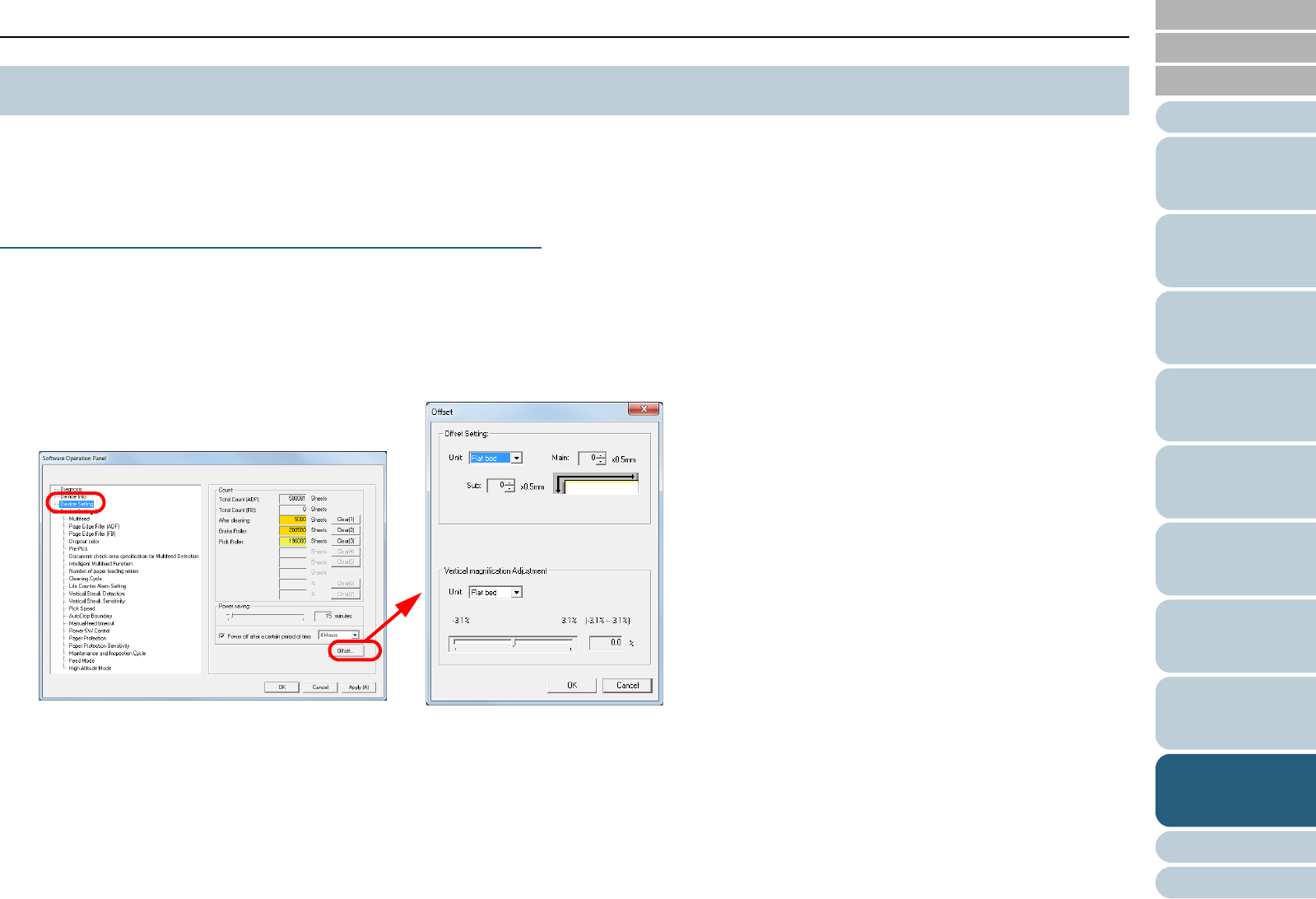
- 9.3 Configuration Items 170
- (page 183) 171
- 3 Click the [OK] button 179
- 3 Select a color to drop out 186
- 3 Select [Yes] or [No] 187
- 3 Click the detection method 191
- (page 163) 195
- 3 Select a detection method 196
- Feed direction 197
- 3 Specify an operation mode 200
- Appendix 207
- A.1 Basic Specification 208
- A.3 Outer Dimensions 212
- A.4 Scanner Options 214
- Glossary 216
- Glossary 217
Relacionado con productos y manuales para Microondas Sharp R-7280
 (174 paginas)
(72 paginas)
(3 paginas)
(33 paginas)
(11 paginas)
(128 paginas)
(40 paginas)
(24 paginas)
(166 paginas)
(8 paginas)
(74 paginas)
(174 paginas)
(72 paginas)
(3 paginas)
(33 paginas)
(11 paginas)
(128 paginas)
(40 paginas)
(24 paginas)
(166 paginas)
(8 paginas)
(74 paginas)
 (160 paginas)
(40 paginas)
(43 paginas)
(27 paginas)
(18 paginas)
(12 paginas)
(108 paginas)
(24 paginas)
(16 paginas)
(160 paginas)
(40 paginas)
(43 paginas)
(27 paginas)
(18 paginas)
(12 paginas)
(108 paginas)
(24 paginas)
(16 paginas)
© 2020, manymanuals.es. Todos los derechos reservados | 0.038 s |
 Manymanuals.com
 Manymanuals.de
 Manymanuals.fr
 Manymanuals.it
 Manymanuals.pl
 Manymanuals.cz
 Manymanuals.es
 Manymanuals-pt.com
Comentarios a estos manuales