Sharp MX-B402 Folleto Página 9: ADVANCED DEVICE MANAGEMENT
 1
 2
 3
 4
 5
 6
 7
 8
 9
 10
 11
 12
*Some features may require optional equipment.
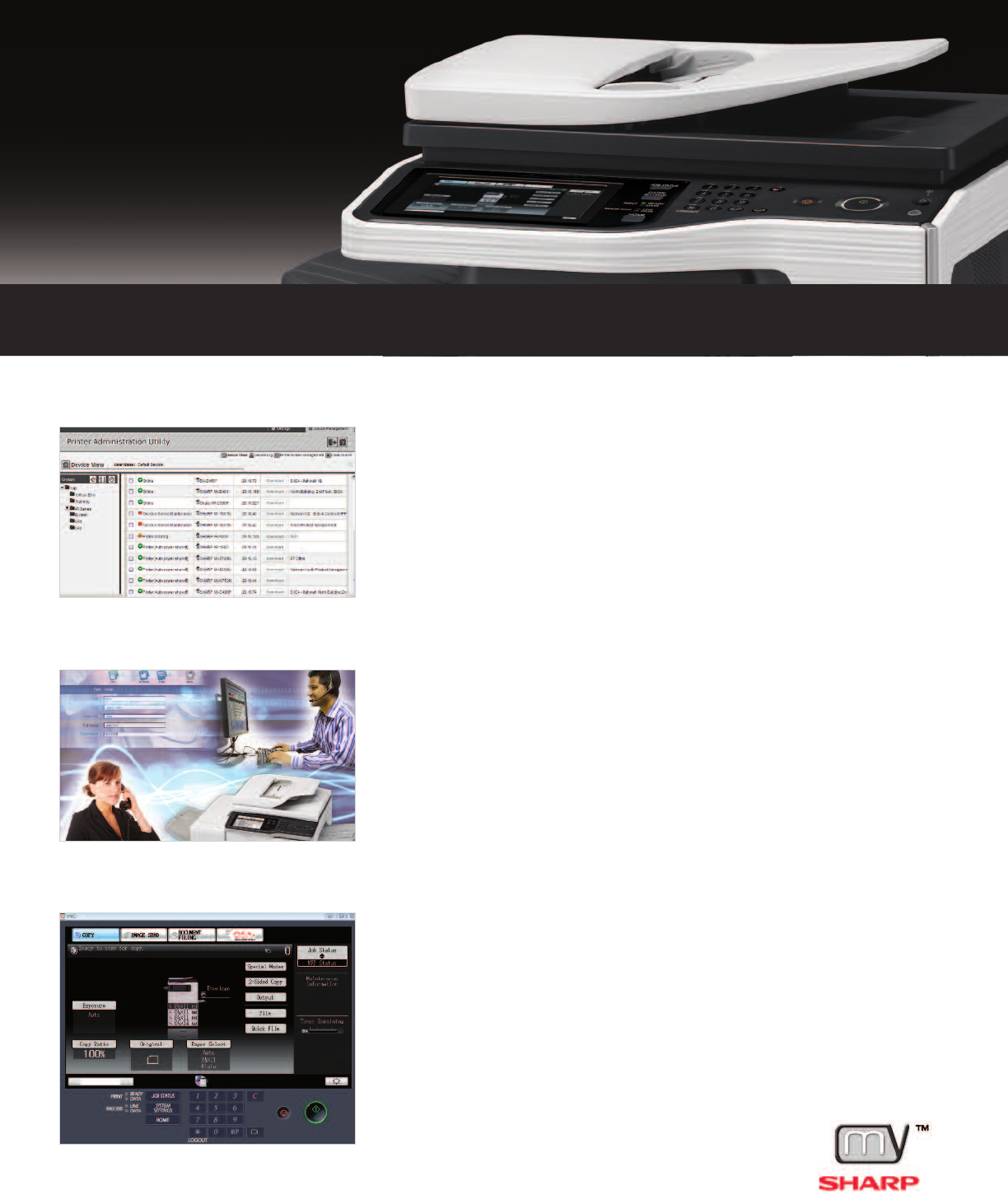
Remote Front Panel
Printer Administration Utility Suite
Remote Device Management Suite
ADVANCED DEVICE MANAGEMENT
Engineered with you in mind, the MX-B402
combines easy-to-use integrated software
with robust capabilities.
The Sharp Administration Utility Suite
Sharp’s Administration Utility Suite takes management of your MX-B402 to the next level. This
easy-to-use software allows you to take control of the versatile system features and simplifies
installation and management.
• With
Printer Status Monitor
, network users can view printer conditions, check paper levels,
toner, and more—all through an easy-to-use interface.
• With Sharp’s advanced
Printer Administration Utility
, administrators can easily manage the
setup, configuration, device settings, cloning and more! New advanced features such as
Remote Front Panel
allow administrators and support personnel to view and control the LCD
panel of the machine remotely from virtually any PC on the network!* Plus, with event-driven,
real-time service alerts, administrators and supervisors can achieve higher productivity. Now, it
is easier than ever to view click counts, history reports and more.
• Experience the convenience of an
Embedded Web Page
right from your desktop! This
advanced web-based management tool allows users to create and manage their own network
scanning destinations, profiles and web-links. Administrators can access device settings,
account information and security settings.
Take Charge of Usage and Costs
With Sharp’s
device management system
, administrators and supervisors can define user groups
on the MX-B402 to manage and restrict features, such as copying, scanning or printing. Easily set
up a custom user group to manage page counts (copy, print, scan or fax operations). The
MX-B402 can store
profiles for up to 1,000 users
.
24/7 Training with My Sharp
Managing all of the advanced features of your Sharp product is simple and easy. Ask your
Authorized Sharp Dealer about
My Sharp
. This dedicated customer training website is
customized to your MX-B402 series document system and allows you to
locate resources and find information specific to your configuration, truly
helping you maximize your investment.
Archivo PDF · ·
Preguntas sobre Sharp MX-B402
Todavía no hay preguntas sobre este manual. Haga la primera.
Productos y manuales relacionados para Multifuncionales Sharp MX-B402
- Multifuncionales Sharp MX-2300N Guía de inicio rápido
 (88 páginas)
- Multifuncionales Sharp MX-B402 Hoja de especificaciones
(2 páginas)
- Multifuncionales Sharp DX-C311 Guía de inicio rápido
(148 páginas)
- Multifuncionales Sharp MX-M623 Manual de usuario
 (4 páginas)
- Multifuncionales Sharp MX-4140N Folleto
(8 páginas)
- Multifuncionales Sharp AR-C200P El manual del propietario
(193 páginas)
- Multifuncionales Sharp MX-2300N Guía de inicio rápido
(207 páginas)
- Multifuncionales Sharp AR-M550N Hoja de especificaciones
(2 páginas)
- Multifuncionales Sharp AR-M230 Manual de usuario
(34 páginas)
- Multifuncionales Sharp AR-M450U Manual de usuario
(6 páginas)
- Multifuncionales Sharp MX-M623 Hoja informativa
(16 páginas)
- Multifuncionales Sharp MX-M260 El manual del propietario
(20 páginas)
- Multifuncionales Sharp MX-4140N Hoja informativa
(16 páginas)
- Multifuncionales Sharp MX-M260 Hoja informativa
(16 páginas)
- Multifuncionales Sharp MX-C250 Hoja informativa
(14 páginas)
- Multifuncionales Sharp MX-B402 Guía de inicio rápido
(56 páginas)
- Multifuncionales Sharp MX-M623 Hoja de especificaciones
(2 páginas)
- Multifuncionales Sharp AR-650 Manual de usuario
(4 páginas)
- Multifuncionales Sharp MX-2300N Manual de usuario
(4 páginas)
- Multifuncionales Sharp MX-2300N Manual de usuario
(4 páginas)