Sharp VL-NZ100E Especificaciones Pagina 48
- Pagina / 97
- Tabla de contenidos
- MARCADORES

- VL-NZ100E 1
- OPERATION MANUAL 2
- WARNING: 3
- Quick Operation Guide 4
- Volume Control 6
- Lock button 7
- Image file name 7
- Supplied Accessories 8
- Optional Accessories 9
- Precautions 10
- Dew Formation 11
- 4 Remove the cleaning tape 12
- Contents 13
- Digital Still Camera 15
- Features 15
- Appendix 15
- Operation References 16
- On-screen Display Index 19
- Warning Indicators 22
- MEMORY CARD 23
- READ ERROR 23
- Preparation 24
- Extending battery pack life 25
- TAPE modes 25
- Inserting 27
- Removing 27
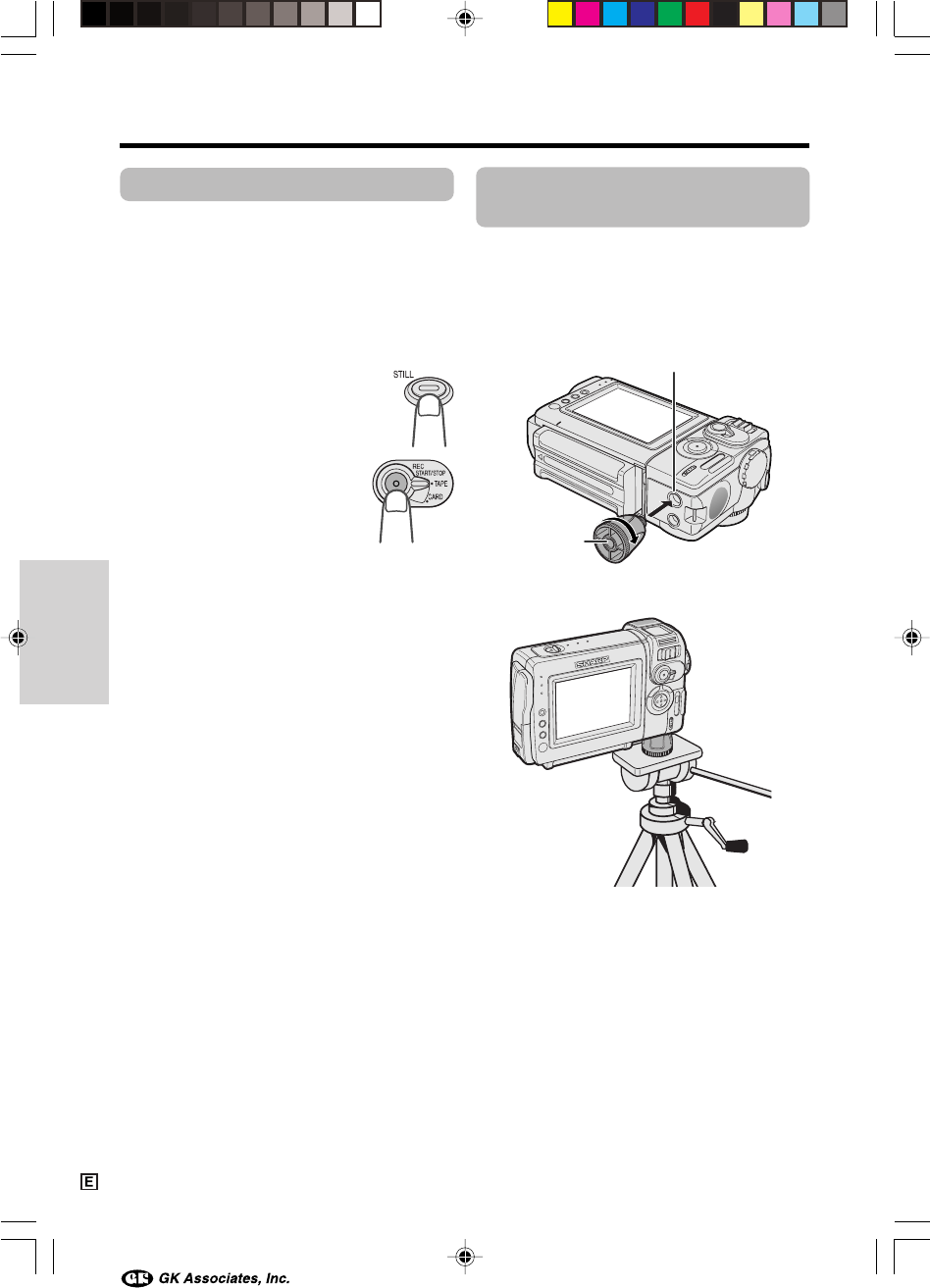
- Installing 29
- Using the Lens Cap 32
- Tips on Recording 33
- Positions 33
- Basic Operations 34
- To pause recording 35
- To turn the power off 35
- Auto Focus 36
- Macro Shots 36
- Remaining Battery 37
- Power Display 37
- Remaining Recording 37
- Time Display 37
- Searching for a Scene Near 39
- Playback 40
- Useful Features 41
- DGTL ZOOM 43
- WT 25DZOOM 43
- Gamma Brightness 44
- Compensation 44
- To obtain a brighter picture 45
- AU T OAUTO 46
- FAD E OU TOUTFADE 46
- Camera Recording 48
- To return to normal screen 49
- To cancel DIS function 49
- Self Recording 50
- 4 Begin recording 50
- TAPE SPEED 51
- AUD I O MODE 52
- To cancel Gamma Playback 55
- PIC. EFFECT 56
- Advanced Features 57
- EXPOSURE 58
- HITE BAL 59
- PI C. EFFECT 60
- SCENE MENU 61
- Cutting Unwanted Sequences 63
- To Record from an External 64
- ONANLG DGTL 65
- To Record to Video Equipment 66
- To Record from Video Equip 66
- Audio Dubbing Feature 68
- 12-bit audio recording 68
- 16-bit audio recording 68
- Audio Dubbing 69
- If you wish to change the 69
- Digital Still Camera Features 70
- REC MODE 71
- Card Recording 72
- To cancel the protection set 75
- Assigning Print Order to All 79
- System Requirements 80
- Installing the USB driver 80
- Image Folders and File Names 81
- Caution on transferring data 81
- Disconnecting the USB cable 81
- LCD BRI GHT 83
- LCD COLOUR 83
- Available modes: 84
- All modes 84
- Useful Information 85
- DV Technology 86
- SD Memory Card and 86
- MultiMediaCard 86
- Mini DV Cassette 87
- Copyright Protection 87
- SD Memory Card 89
- AC Adapter 89
- Replacing the Fluorescent 89
- Battery Pack 90
- Cleaning 91
- Using Your Camcorder Abroad 91
- D EMO MOD E 92
- Before Requesting Service 93
- Specifications 95
- SHARP CORPORATION 97
Relacionado con productos y manuales para Videocámaras Sharp VL-NZ100E
 (113 paginas)
 (74 paginas)
(91 paginas)
(127 paginas)
(19 paginas)
(129 paginas)
(74 paginas)
(91 paginas)
(127 paginas)
(19 paginas)
(129 paginas)
 (83 paginas)
(99 paginas)
(83 paginas)
(99 paginas)
 (111 paginas)
(3 paginas)
(92 paginas)
(116 paginas)
(112 paginas)
(2 paginas)
(58 paginas)
(42 paginas)
(139 paginas)
(97 paginas)
(148 paginas)
(117 paginas)
(111 paginas)
(3 paginas)
(92 paginas)
(116 paginas)
(112 paginas)
(2 paginas)
(58 paginas)
(42 paginas)
(139 paginas)
(97 paginas)
(148 paginas)
(117 paginas)
© 2020, manymanuals.es. Todos los derechos reservados | 0.040 s |
 Manymanuals.com
 Manymanuals.de
 Manymanuals.fr
 Manymanuals.it
 Manymanuals.pl
 Manymanuals.cz
 Manymanuals.es
 Manymanuals-pt.com
Comentarios a estos manuales