Sharp AR-FX9 Manual de usuario Pagina 41
- Pagina / 104
- Tabla de contenidos
- MARCADORES

- For users in the USA 2
- WARNING: 2
- INTRODUCTION 3
- TYPE OF SERVICE 3
- Important safety information 3
- FCC Notice to users: 4
- TABLE OF CONTENTS 5
- SPECIAL FUNCTIONS 6
- TROUBLESHOOTING 6
- APPENDIX 6
- QUICK REFERENCE GUIDE 7
- Sending a fax 8
- Receiving a fax 9
- LIST OF FAX FUNCTIONS 10
- INSTALLATION 15
- FINAL PREPARATIONS 16
- Comments: 16
- PART NAMES 17
- 272624 2523 19
- USING THE ARROW KEYS 20
- ADJUSTING THE BEEP VOLUME 20
- ADJUSTING THE RINGING VOLUME 21
- "4:USER PROGRAM" 22
- "17:BEEP LENGTH" 22
- "19:BEEPER VOLUME" 23
- FAX SETUP 24
- "2:ENTRY MODE" 25
- "1:SET" 25
- SETTING THE DATE AND TIME 26
- "1:TIME FORMAT" 27
- "2:DATE FORMAT" 28
- Daylight Saving Time Setting 29
- MEMORY indicator 30
- SELECTING THE RECEPTION MODE 31
- SETTING THE TRAY SELECTION 34
- SETTING THE DIAL MODE 35
- When the line is busy 36
- SETTING THE RECALL INTERVAL 38
- SETTING THE INDEX FUNCTION 40
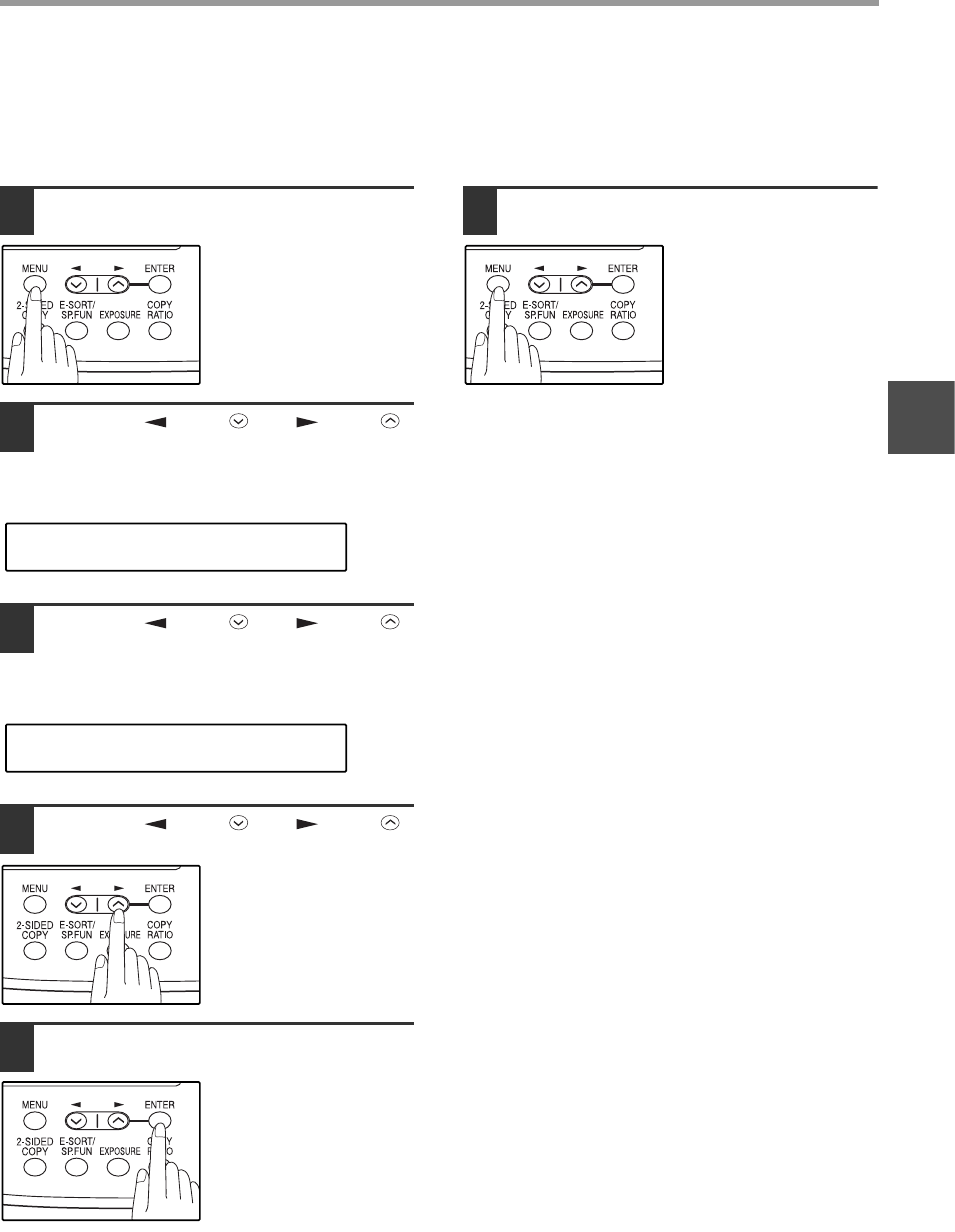
- SETTING RESOLUTION PRIORITY 41
- "15:FAX SIGNAL RCV" 42
- DISTINCTIVE RINGING 45
- Storing numbers 46
- "1:FAX NUMBER" 48
- "2:CLEAR" 48
- "3:GROUP KEY" 49
- Press the [ENTER] key 50
- Press the [MENU] key 50
- USING THE MACHINE WITH AN 52
- ANSWERING MACHINE 52
- ANSWERING MACHINE BACKUP 53
- ORIGINALS SUITABLE FOR FAXING 54
- When using the SPF/RSPF 54
- When using the document glass 54
- UNSUITABLE ORIGINALS 55
- HOW TO USE THE FAX FUNCTION 56
- READING #001 57
- 8.5x11 100% 57
- OPTIONAL TRANSMISSION 58
- SETTINGS 58
- RESOLUTION 59
- CONTRAST 59
- COVER SHEET 60
- MESSAGE FUNCTION 61
- (AR-168D only) 62
- DIALING AND TRANSMITTING 63
- CHAIN DIALING 64
- USING THE SEARCH KEY 65
- REDIALING 65
- IF THE MEMORY BECOMES FULL 66
- WHILE SCANNING AN ORIGINAL 66
- CANCELING (DELETING) A 66
- STORED FAX JOB 66
- RECEIVING FAXES 67
- OPTIONAL RECEPTION SETTINGS 68
- RECEIVE REDUCE 69
- WHEN USING MANUAL SENDING 70
- AND RECEIVING 70
- DATA TRANSFER 72
- "1:DATA TRANSFER" 73
- "1:YES" 73
- TRANSMISSION RESERVATION 74
- BROADCASTING 75
- Transmission will begin 76
- "8:POLLING MODE" 77
- SERIAL POLLING 78
- Selection 79
- "1:ON" 81
- "4:PASSCODE # MODE" 82
- TIMER OPERATIONS 83
- ANTI JUNK FAX 85
- "5:ANTI JUNK FAX" 86
- "2:JUNK FAX #" 86
- OPERATION IN COPY, PRINTER 88
- SCANNER, AND FAX MODES 88
- 5. PASSCODE LIST: 90
- 6. JUNK FAX # LIST: 90
- 7. USER PROGRAM LIST: 91
- ACTIVITY REPORT AUTO LISTING 92
- PRINTING TRANSACTION REPORTS 93
- MESSAGES AND SIGNALS 95
- SPECIFICATIONS 96
- Fax setup 99
- Faxes, sending and receiving 99
- Special functions 99
- Storing/settings 99
- INDEX BY PURPOSE 99
- NOTICE FOR USERS IN 103
- AVIS POUR NOS 103
- UTILISATEURS AU CANADA 103
- 2003L KS 104
- TINSE1222QSZZ 104
- SHARP ELECTRONICS CORPORATION 104
- SHARP CORPORATION 104
Relacionado con productos y manuales para Impresoras Sharp AR-FX9
 (146 paginas)
(8 paginas)
(55 paginas)
(148 paginas)
(2 paginas)
(84 paginas)
(56 paginas)
(80 paginas)
(112 paginas)
(52 paginas)
(11 paginas)
(311 paginas)
(168 paginas)
(310 paginas)
(2 paginas)
(12 paginas)
(118 paginas)
(4 paginas)
(152 paginas)
(128 paginas)
(146 paginas)
(8 paginas)
(55 paginas)
(148 paginas)
(2 paginas)
(84 paginas)
(56 paginas)
(80 paginas)
(112 paginas)
(52 paginas)
(11 paginas)
(311 paginas)
(168 paginas)
(310 paginas)
(2 paginas)
(12 paginas)
(118 paginas)
(4 paginas)
(152 paginas)
(128 paginas)
© 2020, manymanuals.es. Todos los derechos reservados | 0.025 s |
 Manymanuals.com
 Manymanuals.de
 Manymanuals.fr
 Manymanuals.it
 Manymanuals.pl
 Manymanuals.cz
 Manymanuals.es
 Manymanuals-pt.com
Comentarios a estos manuales