Sharp LC-32LB150U Guía de usuario Pagina 31
- Pagina / 82
- Tabla de contenidos
- SOLUCIÓN DE PROBLEMAS
- MARCADORES

- Contents 2
- CHILD SAFETY 5
- Important Safety 6
- Instructions 6
- Sharp 32" LED TV 8
- Introduction 8
- Installing the stand 9
- TV components 12
- Remote control 14
- What connection should I 15
- Using HDMI (best) 16
- Using composite video (good) 19
- Using coaxial (good) 20
- Connecting a game console 27
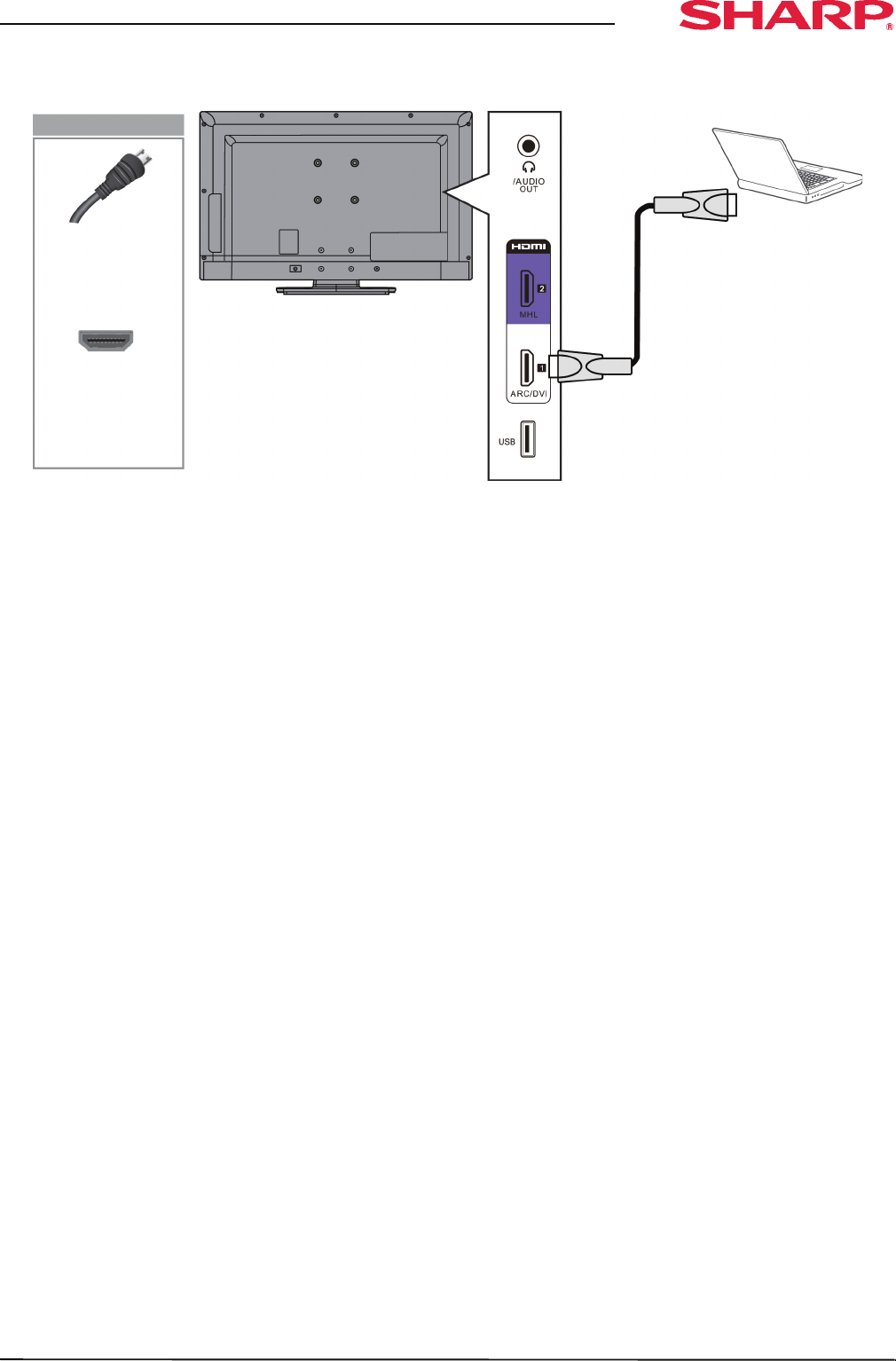
- Connecting a computer 30
- Connecting a USB flash drive 33
- Connecting headphones 34
- Using digital audio 35
- Using analog audio 36
- Connecting power 38
- Using the remote control 39
- Turning on your TV for the 40
- Understanding the basics 42
- On-screen menu overview 43
- Navigating the menus 43
- Selecting a channel 44
- Adjusting the volume 44
- Viewing channel information 44
- Adjusting the picture 45
- Adjusting the sound 47
- Selecting the audio out mode 48
- Changing channel settings 49
- Hiding channels 51
- Viewing a favorite channel 51
- Setting parental controls 53
- Locking control buttons 54
- Blocking unrated TV 54
- Using closed captioning 57
- Adjusting time settings 60
- Adjusting menu settings 61
- Using CEC Control 62
- Waking CEC-compatible devices 65
- Using an MHL-enabled 66
- Using a Roku Streaming Stick 67
- Using a USB flash drive 68
- Viewing favorite photos 69
- Viewing photos in a slideshow 69
- Maintaining 70
- Troubleshooting 71
- Video and audio 72
- CEC-compatible device 76
- Specifications 78
- Programming universal 79
- Legal notices 80
- One-year limited warranty 81
- Sharp Televisions 81
- V1 ENGLISH 82
Relacionado con productos y manuales para Televisores Led Sharp LC-32LB150U

 (24 paginas)
© 2020, manymanuals.es. Todos los derechos reservados | 0.027 s |
 Manymanuals.com
 Manymanuals.de
 Manymanuals.fr
 Manymanuals.it
 Manymanuals.pl
 Manymanuals.cz
 Manymanuals.es
 Manymanuals-pt.com
Comentarios a estos manuales