Sharp MX-B400P Guía de inicio rápido Pagina 32
- Pagina / 52
- Tabla de contenidos
- SOLUCIÓN DE PROBLEMAS
- MARCADORES

- LASER PRINTER 1
- OPERATION MANUALS AND 2
- HOW TO USE THEM 2
- Manuals in PDF format 3
- CHECKING THE IP ADDRESS 4
- ACCESSING THE WEB SERVER IN 5
- THE MACHINE 5
- Downloading the Operation 6
- TABLE OF CONTENTS 7
- Before using the machine 9
- PART NAMES AND FUNCTIONS 10
- SUPPLIES 11
- OPERATION PANEL 12
- 2010/04/04 14
- ITEMS IN THE DISPLAY 16
- Job status screen 17
- USER AUTHENTICATION 18
- Logging out 19
- CHANGING PAPER IN A TRAY 20
- Loading paper in a tray 21
- Changing the tray settings 22
- Configure the tray settings 23
- (Continued) 23
- Loading paper in bypass tray 24
- PRINTING 25
- Select print settings 27
- Click the [Print] button 27
- Using printer driver help 28
- Setting the paper size 30
- Printing a file 31
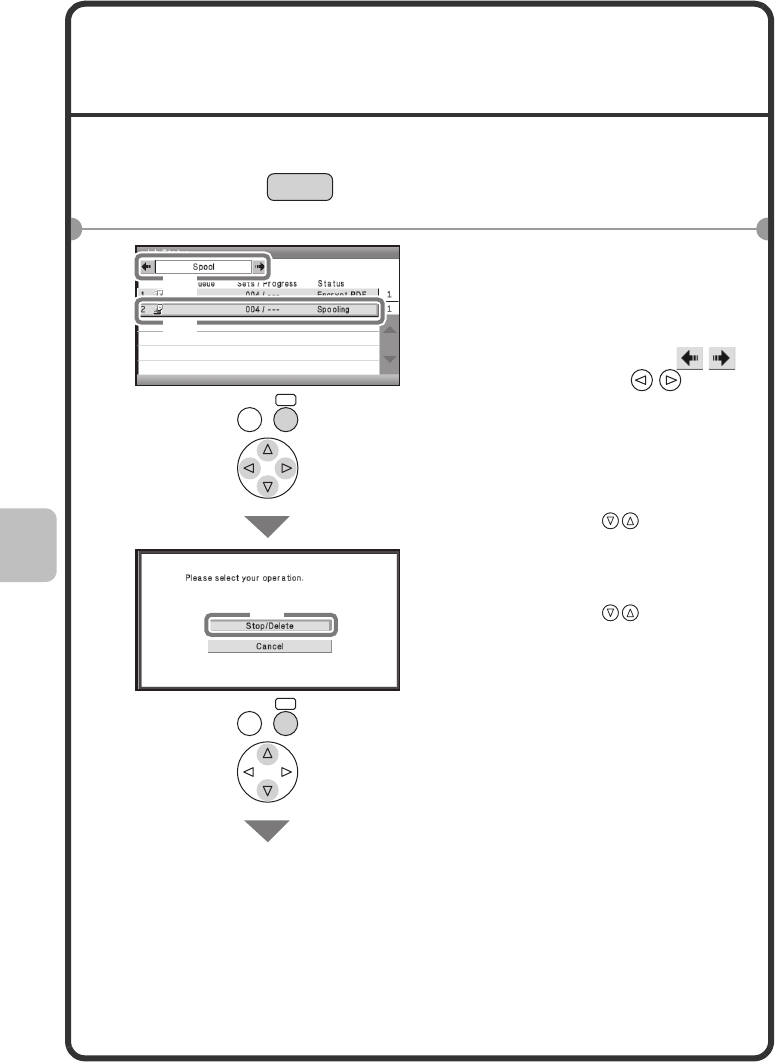
- CANCELING PRINTING 32
- (AT THE MACHINE) 32
- Configure the tray 33
- Select the [Yes] key 33
- SELECTING PRINT SETTINGS 34
- Macintosh 35
- CONVENIENT PRINTER 36
- FUNCTIONS 36
- (N-Up Printing) 37
- System settings 39
- SYSTEM SETTINGS 40
- Troubleshooting 43
- 2Tray Settings 44
- 1 Check details on the job 46
- REMOVING MISFEEDS 48
- Please note 51
- QuQuick Start GuideQu 52
Relacionado con productos y manuales para Las Impresoras Láser / Led Sharp MX-B400P
 (66 paginas)
© 2020, manymanuals.es. Todos los derechos reservados | 0.031 s |
 Manymanuals.com
 Manymanuals.de
 Manymanuals.fr
 Manymanuals.it
 Manymanuals.pl
 Manymanuals.cz
 Manymanuals.es
 Manymanuals-pt.com
Comentarios a estos manuales