Sharp DK-CL5P Instrucciones de operaciones Pagina 15
- Pagina / 32
- Tabla de contenidos
- SOLUCIÓN DE PROBLEMAS
- MARCADORES

- MUSIC SYSTEM FOR iPod 1
- & iPhone 1
- Accessories 1
- SPECIAL NOTES 2
- IMPORTANT SAFETY INSTRUCTIONS 3
- Important Instruction 4
- SPECIAL NOTES Contents 5
- General Information 6
- Precautions 6
- Controls and indicators 7
- Preparation for Use 10
- System connections 10
- Remote control 12
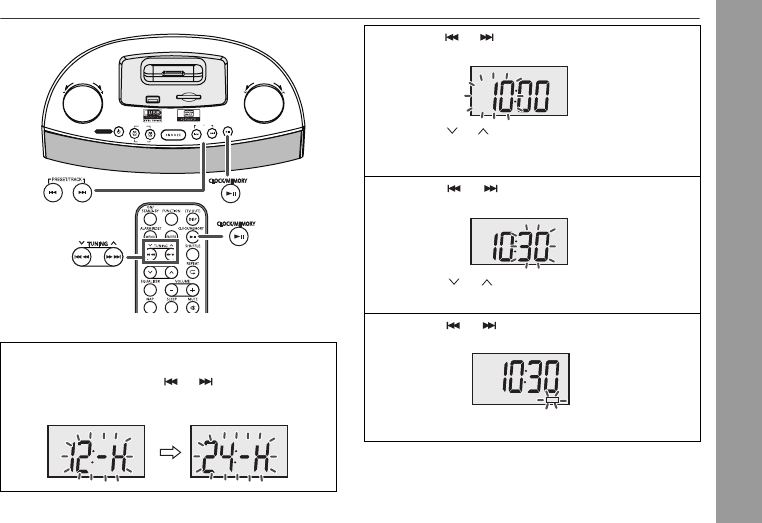
- CLOCK / MEMORY 13
- Basic Operation 14
- General control (continued) 14
- 2010 November 3 16
- DK-CL5P_A6 02-27.fm 16
- 2010 November 11 18
- ■ Programming a station 21
- Alarm and sleep operation 22
- Advanced Features 23
- Enhancing your system 25
- Troubleshooting chart 26
- References 27
- Maintenance 28
- Specifications 29
- Printed in China 32
- 10K R KI 1 32
Relacionado con productos y manuales para Altavoces base Sharp DK-CL5P


 (24 paginas)
(24 paginas)
(24 paginas)

 (24 paginas)
(32 paginas)
(37 paginas)
(24 paginas)
(32 paginas)
(37 paginas)
© 2020, manymanuals.es. Todos los derechos reservados | 0.026 s |
 Manymanuals.com
 Manymanuals.de
 Manymanuals.fr
 Manymanuals.it
 Manymanuals.pl
 Manymanuals.cz
 Manymanuals.es
 Manymanuals-pt.com
Comentarios a estos manuales