Sharp MX-M950 Manual de usuario Pagina 5
- Pagina / 52
- Tabla de contenidos
- MARCADORES

- Maintenance Guide 1
- Please note 2
- TABLE OF CONTENTS 3
- REGULAR MAINTENANCE 4
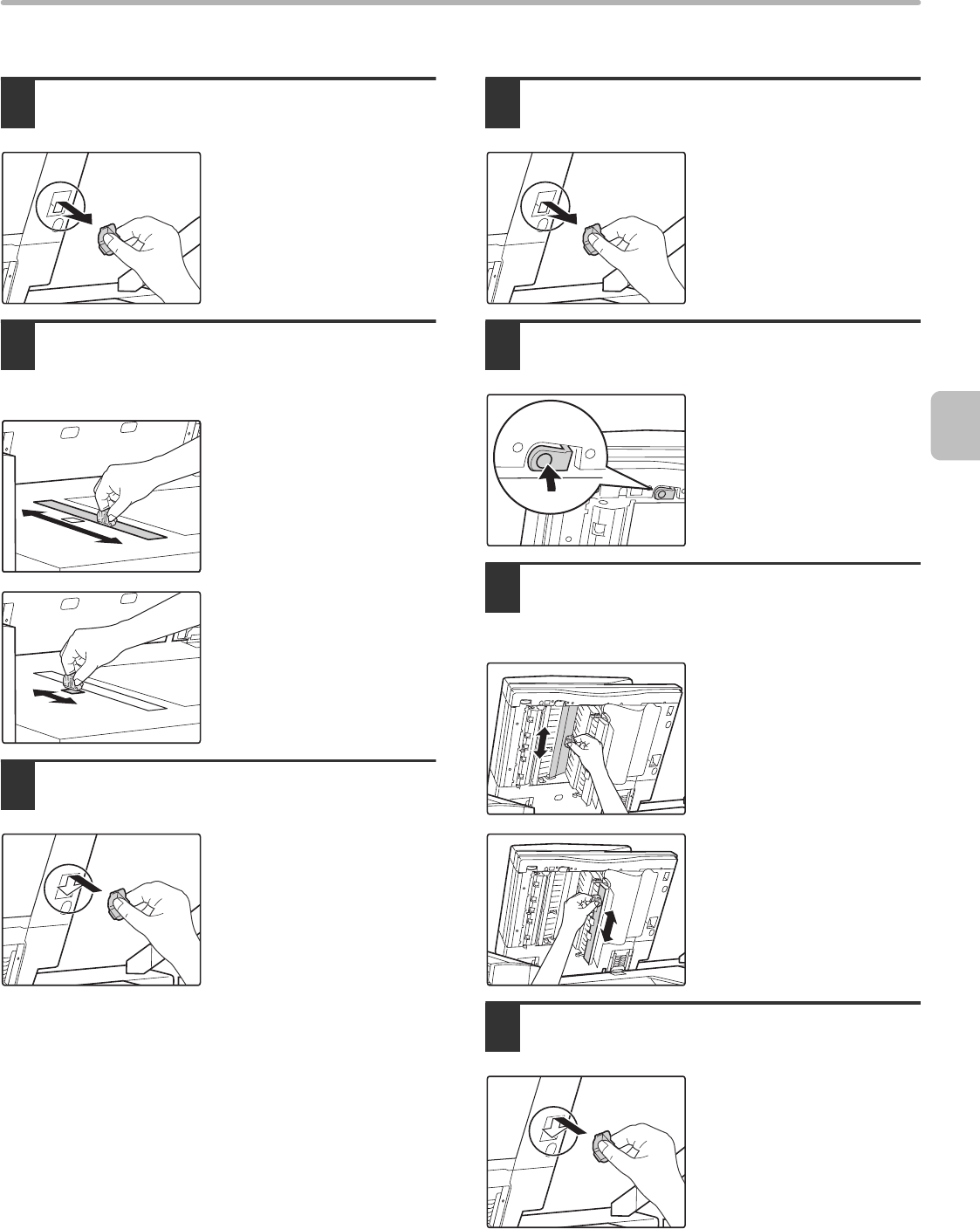
- X Front side of original 5
- X Reverse side of original 5
- X MX-MFX1 6
- X MX-MFX2 6
- DISCARDING PUNCH WASTE 7
- Open the cover 8
- Replace the staple waste box 8
- CONTAINER 9
- REPLACING SUPPLIES 10
- REPLACING THE TONER CARTRIDGE 11
- FINISHER 12
- SADDLE UNIT 13
- Install the staple case 14
- Push in the unit 14
- Close the cover 14
- Saddle stitch section 15
- Staple section 15
- REPLACING THE STAMP CARTRIDGE 17
- REMOVING MISFEEDS 18
- X Stapler section 24
- X Output trays 26
- X Inside 26
- Remove the misfed paper 29
- FOLDING UNIT 30
- INSERTER 32
- X Transport area 33
- THE MACHINE 35
- X Transport unit 36
- ☞ Transport area (page 37) 40
- X Bypass tray (MX-MFX2) 41
- X Bypass tray (MX-MFX1) 45
- REMOVING STAPLE JAMS 47
- STITCH FINISHER 48
- MAINTENANCE HISTORY 49
- PRINTED IN FRANCE 52
- TINSE3773GHZZ 52
Relacionado con productos y manuales para Copiadoras Sharp MX-M950
 (8 paginas)
(109 paginas)
(28 paginas)
(91 paginas)
(84 paginas)
(120 paginas)
(56 paginas)
(160 paginas)
(88 paginas)
(8 paginas)
(24 paginas)
(28 paginas)
(132 paginas)
(178 paginas)
(113 paginas)
(108 paginas)
(8 paginas)
(109 paginas)
(28 paginas)
(91 paginas)
(84 paginas)
(120 paginas)
(56 paginas)
(160 paginas)
(88 paginas)
(8 paginas)
(24 paginas)
(28 paginas)
(132 paginas)
(178 paginas)
(113 paginas)
(108 paginas)
 (66 paginas)
(84 paginas)
(66 paginas)
(84 paginas)
© 2020, manymanuals.es. Todos los derechos reservados | 0.030 s |
 Manymanuals.com
 Manymanuals.de
 Manymanuals.fr
 Manymanuals.it
 Manymanuals.pl
 Manymanuals.cz
 Manymanuals.es
 Manymanuals-pt.com
Comentarios a estos manuales