6
Copy
Copy
Print
Print
Fax
Fax
Fax
Fax
Scan
Scan
Copy Data
Print Data
Scan Data
Fax Data
Erase Data
The data generated for each job is automatically
erased once that job is finished
CONFIDENTIAL
Set PIN on your PC. Confidential
printouts won’t be
read by others.
Data is sent from PC...
User enters PIN on
operation panel.
and
stored on
hard disk
Print
Print
Print
Print
Scan
Scan
Copy
Copy
Print
Print
Scan
Scan
Edge/centre erase
Saddle stitch finishing
NO!
Windows®
Ethernet
(10Base-T/100Base-TX)
Macintosh
Unknown IP or MAC
addresses will be
denied access
The AR-C170M provides several security solutions to protect your sensitive and
confidential information from unauthorised persons.
User-Friendly Design
The AR-C170M’s logically designed control panel features a wide,
clear touch-screen LCD panel with easy-to-follow guidance that
takes users step-by-step through the necessary procedures. A
universal design concept makes the AR-C170M user-friendly for
everyone from office equipment novices to the physically
challenged.
• Optimum-height operation panel for easy access
• Easy-to-press and -feel indented keys
• Notification sounds for default levels in manual settings (zoom,
exposure, etc.)
• Delayed response setting gives enough time to cancel operation
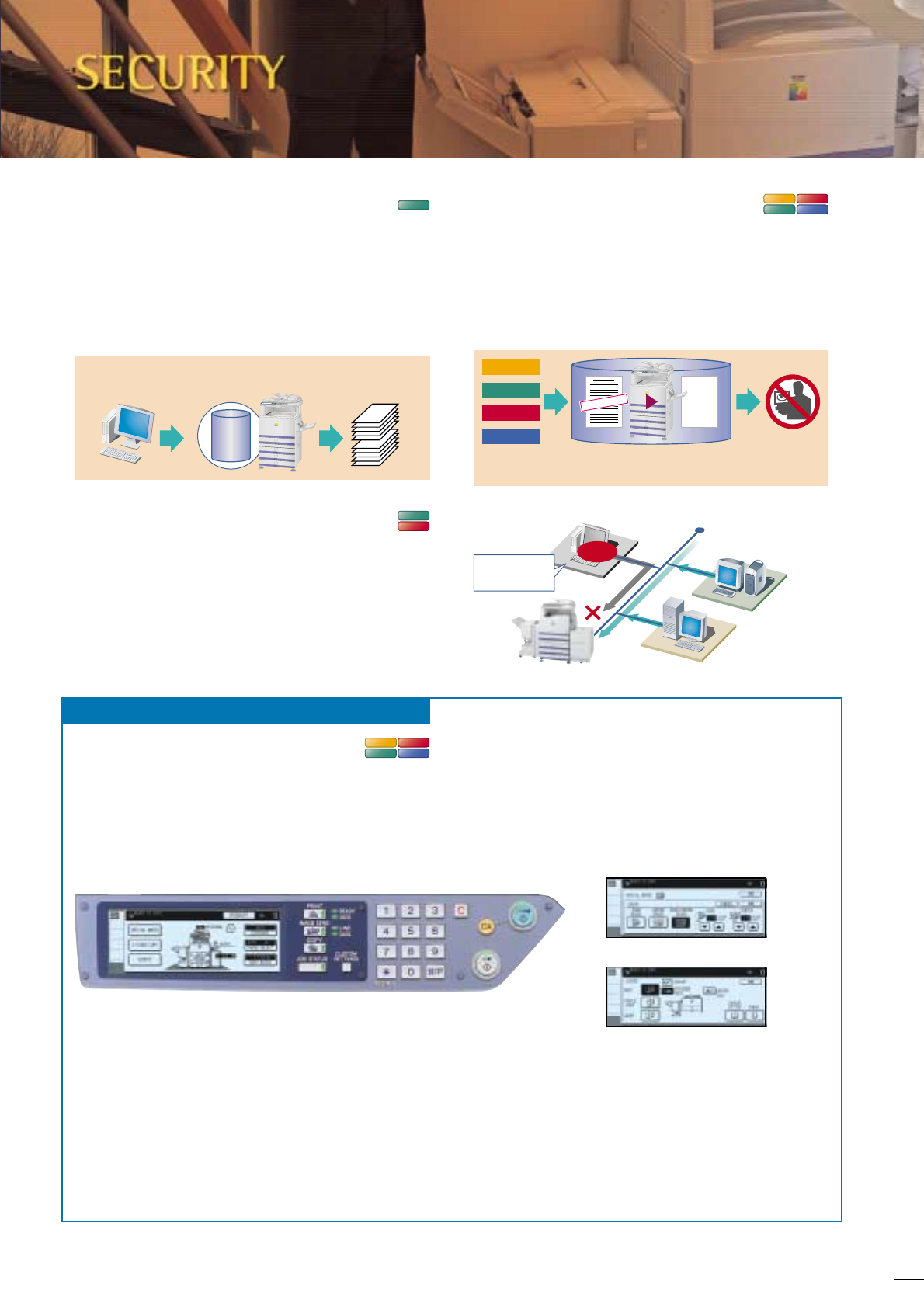
Print Hold and Confidential Print
To keep others from seeing confidential documents as they are
being printed out, the AR-C170M’s Print Hold function stores
print data on its hard disk and withholds output until the user
executes a print command from the operation panel. For added
security, the Confidential Print function requires the user to enter
in a personal identification number at the machine before printing
can begin.
IP/MAC Address Filtering
The embedded Network Interface provides highly secure operation
by restricting access to the AR-C170M on your office network.
Only PCs that have either or both their IP address or MAC
(media access control) address registered are allowed to use the
AR-C170M. Attempted access from an unknown IP or MAC
address will be denied, preventing unauthorised use.
Data Security Kit
Digital copier/printers or multifunction products can retain
hundreds of pages of confidential information from previous jobs
on their hard disks or internal memory. To prevent these sensitive
records from being recovered by unauthorised persons, the AR-
C170M can be equipped with the optional AR-FR19
U Data Security
Kit, which completely erases the data generated for each job.
Environmentally Conscious Design
• The AR-C170M conforms to the Energy Star Program, an
international system identifying energy-efficient products that
conserve natural resources and reduce environmental pollution.
• The AR-C170M has two levels of energy-saving modes to
reduce or shut off electricity used in the fusing unit after a
period of inactivity. These modes save running costs while the
machine is not in use.
• Chromium- and lead-free thanks to the use of chrome-free
surface-treated steel sheet, and lead-free wiring harnesses and
AC power cords.
User- and Environment-Friendly

 (29 paginas)
 (100 paginas)
 (102 paginas)
 Manymanuals.com
 Manymanuals.de
 Manymanuals.fr
 Manymanuals.it
 Manymanuals.pl
 Manymanuals.cz
 Manymanuals.es
 Manymanuals-pt.com
Comentarios a estos manuales