Sharp AR-153E N Especificaciones Pagina 92
- Pagina / 121
- Tabla de contenidos
- SOLUCIÓN DE PROBLEMAS
- MARCADORES

- FOR YOUR RECORDS 2
- CAUTIONS 3
- Cautions on handling 4
- Proper storage for supplies 4
- Trademark acknowledgements 4
- INTRODUCTION 6
- PART NAMES 7
- OPERATION PANEL 8
- LOADING PAPER 9
- LOADING THE PAPER TRAY 10
- Print face 12
- Note for loading envelopes 13
- MAKING COPIES 14
- POWER ON 15
- ORIGINAL PLACEMENT 16
- Using the RSPF/SPF 17
- SET THE COPY QUANTITY 18
- Automatic exposure adjustment 19
- REDUCTION/ENLARGEMENT/ZOOM 20
- SELECTING THE TRAY 21
- SPECIAL FUNCTIONS 22
- TONER SAVE MODE 24
- USER PROGRAMS 25
- MAINTENANCE 27
- Toner cartridge lock 28
- 4 or 5 times 28
- Toner seal 28
- CLEANING THE UNIT 30
- Transfer charger 31
- TROUBLESHOOTING THE UNIT 32
- STATUS INDICATORS 33
- MISFEED REMOVAL 34
- B: Misfeed in the fusing area 35
- Feeding roller 36
- E: Misfeed in the RSPF/SPF 37
- (AR-157E) 38
- DEVELOPER REQUIRED 39
- MAINTENANCE REQUIRED 39
- OPTIONAL EQUIPMENT 40
- Lower side cover 41
- INSTALLING THE SOFTWARE 42
- BEFORE INSTALLATION 43
- Flow of installation 44
- (Parallel interface) 52
- Start indicator 55
- ONLINE indicator 55
- Power save indicator 55
- Scanner indicator 55
- USING THE PRINTER MODE 56
- About interrupt copying 57
- USING THE SCANNER MODE 58
- Click here 63
- HOW TO USE THE ONLINE MANUAL 66
- Installing Acrobat Reader 67
- USING OTHER INSTALLED DRIVERS 68
- Interface cable 69
- APPENDIX 71
- Optional equipment 73
- INDEX BY PURPOSE 76
- SOFTWARE LICENSE 77
- 6. Limited Warranty on Media 78
- 8. Limitation of Liability 78
- 10. Complete Agreement 78
- MATERIAL SAFETY DATA SHEET 79
- For users in the USA 83
- WARNING: 83
- SHARP ELECTRONICS CORPORATION 84
- Contents 86
- How to Use the Online Manual 87
- Printing Overview 88
- Basic Printing 89
- Printer Driver Settings 91
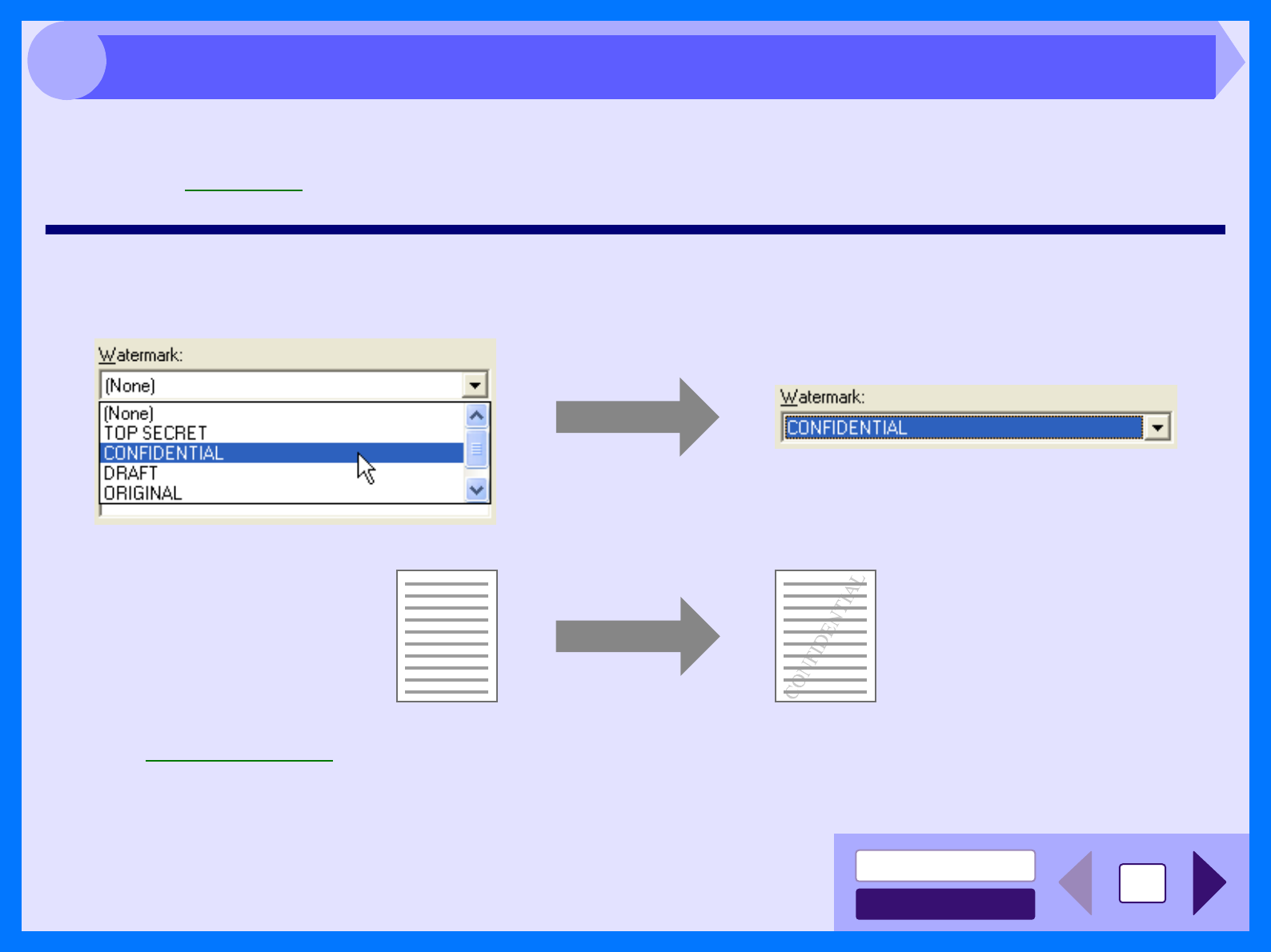
- Printing a Watermark 92
- Scanning Overview 97
- CONTENTS 100
- Outline of Button Manager 107
- Button Manager Settings 108
- Identifying Unit Problems 109
- Check Your Computer 111
- Nothing Prints 116
- Poor Scanning Result 117
- Unable to Scan the Image 119
Relacionado con productos y manuales para Copiadoras Sharp AR-153E N
 (96 paginas)
(2 paginas)
(89 paginas)
(18 paginas)
(112 paginas)
(66 paginas)
(26 paginas)
(96 paginas)
(2 paginas)
(89 paginas)
(18 paginas)
(112 paginas)
(66 paginas)
(26 paginas)
 (72 paginas)
 (2 paginas)
(74 paginas)
(12 paginas)
(82 paginas)
(44 paginas)
(107 paginas)
(36 paginas)
(9 paginas)
(170 paginas)
(2 paginas)
(2 paginas)
(74 paginas)
(12 paginas)
(82 paginas)
(44 paginas)
(107 paginas)
(36 paginas)
(9 paginas)
(170 paginas)
(2 paginas)
© 2020, manymanuals.es. Todos los derechos reservados | 0.026 s |
 Manymanuals.com
 Manymanuals.de
 Manymanuals.fr
 Manymanuals.it
 Manymanuals.pl
 Manymanuals.cz
 Manymanuals.es
 Manymanuals-pt.com
Comentarios a estos manuales